Your Meetings Are a Knowledge Base (If You Own Them)
Andrej Karpathy posted something recently that put words to how I’ve been using my computer for the past few months. The short version: he’s shifted a lot of his LLM usage away from code and toward building personal knowledge bases. Articles, papers, repos, datasets get dropped into a raw/ directory. An LLM incrementally compiles that into a wiki — a tree of linked markdown files with summaries, concept articles, and backlinks. He browses it in Obsidian. When he wants to answer a hard question, the LLM reads the wiki and produces a new markdown doc, or a slide deck, or a chart, which he files back in.
Reading it, I realized: that’s the pattern I’d been groping toward. And the thing that made it finally click was feeding my meetings into the same pile.
The missing raw material
Most of what I know about my work doesn’t come from articles. It comes from conversations. The design call where we decided not to ship the thing. The 1:1 where a report mentioned, offhand, that the onboarding flow was confusing. The client call where we agreed to postpone phase 2. Six months later I can’t remember any of it — but the decisions are still load-bearing.
Karpathy’s raw/ directory is full of articles and papers. Mine has those too, but the thing that changed everything was dropping meeting transcripts and summaries in there next to them. Suddenly the wiki knows what I said, who asked for what, and what we ruled out. The LLM stops guessing about context because the context is in the files.
Why this only works locally
The reason I couldn’t do this before s1ft: every other meeting tool holds your transcript hostage. Fireflies, Granola, Otter, the rest — they give you a webpage. You can copy-paste if you’re patient. You can export one meeting at a time. You can’t just point an LLM agent at a folder of 200 transcripts and let it work.
s1ft writes every meeting as plain markdown on your Mac. Transcript as transcript.md, summary as summary.md, both in ~/Documents/s1ft Meetings/ by default — or anywhere else you point it. They live in a folder you control, next to everything else your LLM agent can read. No API, no export dance, no “Connect your Fireflies account” OAuth flow. Just files. You can see exactly where recordings are stored and move them wherever your vault lives.
That’s the only reason any of this works. A wiki compiled by an LLM is a fast-moving thing — the agent reads dozens of files per query, writes new ones, reorganizes, relinks. If each read is a network round-trip to someone else’s cloud (and a rate-limit risk, and a privacy exposure), the whole pattern collapses before it starts.
How I do it in Obsidian
My vault has a raw/ folder with subfolders:
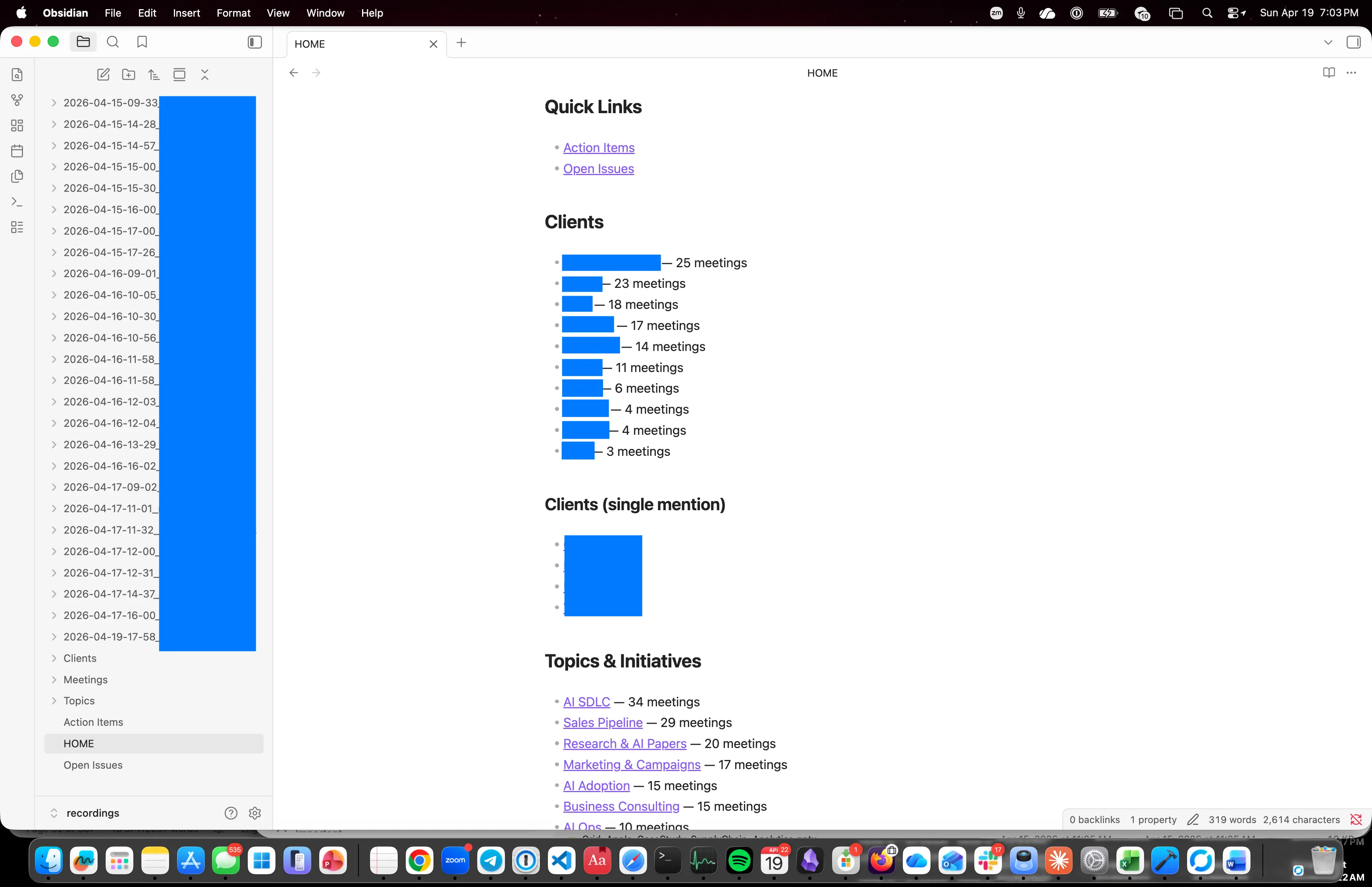
raw/meetings/— one folder per meeting, thetranscript.mdandsummary.mds1ft dropped inraw/articles/— web pages clipped with the Obsidian Web Clipper extensionraw/papers/— PDFs and their extracted textraw/notes/— voice memos I transcribe, scratch thoughts
And a wiki/ folder the LLM maintains:
wiki/people/— one file per person I work with, backlinked to every meeting they were inwiki/projects/— one file per active project, pulling decisions from meeting summarieswiki/concepts/— recurring topics the agent has noticed (pricing, hiring pipeline, performance reviews)
I almost never edit the wiki by hand. I drop new things into raw/, then ask the agent to reconcile. It reads the new material, updates the affected wiki files, adds backlinks, and writes a short “what changed” note I can skim. If it gets something wrong, I correct the wiki entry and move on.
What you can actually ask it
Once the wiki is a few months deep, the questions get interesting:
- “What did I promise in client calls this quarter that I haven’t delivered?”
- “Every time I’ve discussed pricing with this customer, summarize how their position shifted.”
- “Which reports have used burnout-adjacent language in the last eight weeks?”
- “Draft the quarterly update for project X from what was actually said about it.”
Each of those is painful without transcripts. With transcripts in the vault, it’s a one-prompt task. The agent reads the relevant raw/meetings/ files, cross-references the wiki/people/ and wiki/projects/ pages, and produces a new markdown doc I file back into the wiki. The knowledge base gets denser every time I use it.
Three layers, three jobs
What I learned quickly is that the three artifacts a meeting leaves behind — the summary, the full transcript, and the coaching report — each earn their keep in the wiki differently, and treating them the same is the mistake.
The summary is the compressed index. Decisions, action items, the gist. My agent reads summaries first when I ask a question, because they’re dense and cheap. Nine times out of ten the summaries alone answer what I asked.
The transcript is the grounding layer. When the summary isn’t enough — someone’s exact wording, a point I half-remember, a promise buried in a tangent — the agent drops into the one relevant transcript and pulls the line. Summary indexes, transcript grounds. Having both together is what makes the pattern work: transcripts alone mean the agent reads too much, summaries alone mean it guesses on the hard questions.
The coaching report is the meta layer, and this is the one I didn’t see coming. Filler counts, clarity scores, patterns across meetings. That behavioral data sitting in the vault alongside the content means the agent can reason about how I communicate, not just what I said. “Which meetings ran long on filler, and what was I talking about when it spiked?” is a question you can only ask when the behavioral data and the transcript are in the same folder.